

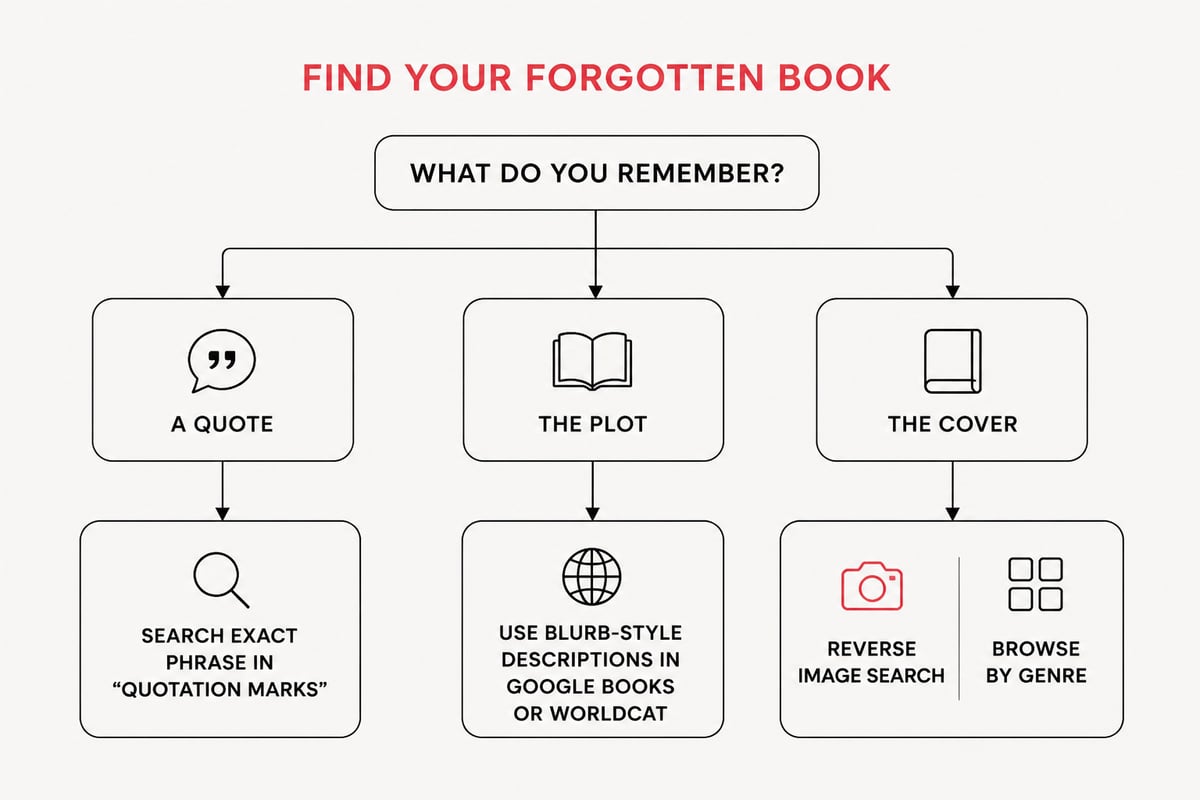
To find that book you can't name, start with the clue you remember best (plot, cover or a line of text) and search it in a tool built for that clue, such as Google Books for quotes, a library catalog for plot details, and a reverse image search for covers. Specific fragments, such as an exact quote or a distinctive plot detail, usually work better than vague descriptions.
This guide covers the practical methods in order of speed, from a ten-second quote check to asking a community of readers. It also explains how to confirm a match and how to get the book into your hands as an eBook or audiobook once you have the title.
Start With What You Remember
Before you open a search engine, write down every detail you can recall, because the quality of your clues decides the quality of your results.
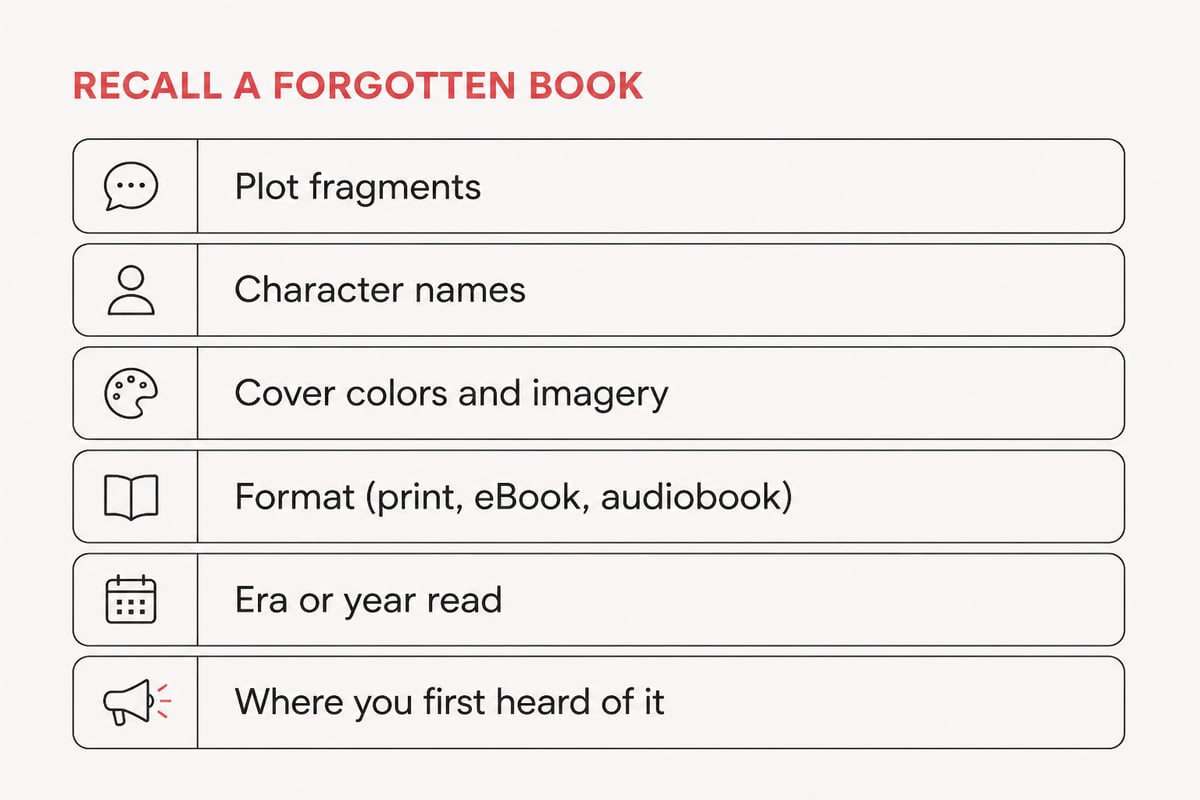
Sort your memory into these categories:
- Plot fragments: a setting, a central conflict, an unusual event, how the story ended
- Character details: a name, a profession, a relationship, even a nickname
- Cover details: dominant colors, an illustration, a font style, a symbol
- Format and era: a paperback from a school library, an audiobook you heard on a commute, a series installment
- Where and when you encountered it: a recommendation, an age, a year, a place
Even partial answers help. Knowing a book was read around 2015, set on a space station and had a red cover is enough to run several narrow searches instead of one hopeless one.
How to Find a Book by Plot
To find a book by plot, describe the central events in plain language and search them in a general search engine first, then in a catalog or book database if that fails.
Write your query the way a back-cover blurb would. "Novel about a lighthouse keeper who finds a message in a bottle" will outperform "that sad story about the sea." Include the genre, a time period if you know it, and the most unusual element, since unusual details narrow results fastest.
Use Google and Google Books
Start with a regular web search, then move to Google Books. According to Google Books, it can display anything from short excerpts to an entire book depending on the title and available access. That range matters because a plot keyword can match text inside the book itself, not only the description.
Search Library Catalogs With Several Filters
Library catalogs are built for layered searching. OCLC’s WorldCat help documentation explains that results can be narrowed by publication year, format and language through Advanced Search, and that Advanced Search accepts up to five combinations of indexes and search terms. If you recall the decade you read the book, filtering by year can remove thousands of irrelevant results. A University of North Texas Libraries guide also recommends combining at least two search features, such as a keyword plus a subject, to improve results.
Try Genre and Trope Language
Readers often describe books by trope rather than title. Terms like "found family," "unreliable narrator," "locked-room mystery" or "enemies to lovers" can surface the right shelf in book databases. Pair the trope with one concrete detail for the best results.
How to Find a Book by a Quote
A quote is the strongest clue you can have, because exact wording is searchable and rarely duplicated.
Put the sentence in quotation marks in a search engine. The quotation marks force an exact-phrase match, which filters out pages that merely share a few words. If that returns nothing, shorten the quote to the most distinctive five or six words, since small misremembered words can break an exact match.
Then try Google Books. Google Books states that for books in snippet view it can show up to three text snippets for each search term, which can be enough to see your phrase in context and confirm the source. For a line you heard in an audiobook, search the spoken words, since transcribed phrasing usually matches the printed text.
If you only remember the idea of a quote, search for it alongside the word "quote" and a theme, such as "quote about regret from a novel set in Paris." Quote collections and reader discussion pages frequently attribute lines to their source.
How to Find a Book by Its Cover
You can find a book by its cover by describing the image precisely, running a reverse image search if you have any picture of it, and browsing visual catalogs filtered by genre and year.
Cover-based searching works best when you treat the design as data:
- Describe it in words. Colors, objects, typography, and layout all count. "Dark blue cover, silhouette of a woman holding a lantern, serif title in gold" is searchable.
- Run a reverse image search. If you can find any photo of the cover, even a blurry one from social media, upload it to Google Lens or a similar tool.
- Browse by genre and year. Many cover styles are tied to specific eras. Thriller covers from the mid-2010s look different from those of the 1990s, and recognizing a style helps you narrow the decade.
- Check series branding. Books in a series share design elements. If you remember one cover element, such as a recurring emblem, you may be recalling a series rather than a single title.
Covers change between editions and between print and digital releases, so the version you remember may not be the one that appears first in search results. If the image does not match, search for alternate editions of a likely title before ruling it out.
Ask People Who Read Everything
Online reading communities can identify a book from a vague description faster than any algorithm, because their members have read widely and enjoy the puzzle.
Several places work well:
- Reddit communities dedicated to identifying books from partial descriptions
- Goodreads groups where members help each other name forgotten reads
- Facebook reading groups organized by genre
- Local librarians and independent booksellers, who handle this kind of request routinely
When you post, structure the request so it is easy to answer. State the approximate year you read it, the format, the genre, a two-sentence plot summary, any character names, and any cover details. A post that says "sci-fi book, sad ending" gets few replies, while one with a specific scene and a time frame gets answers quickly.
Librarians deserve special mention. A reference librarian is trained in exactly this kind of search and has access to subscription databases that ordinary searches cannot reach. A short conversation can replace an hour of guessing.
Confirm You Have the Right Match
Before you buy, verify that the title you found is the one you remember by checking the record details against your clues.
Catalog records are useful for this. According to OCLC’s WorldShare documentation, a WorldCat record can include title, author, publisher, ISBN, series, language and OCLC number, which helps confirm a likely match. Compare the publication year to when you read it, the series information to your memory of sequels, and the description to your plot clues.
A quick verification routine:
- Read the official summary and look for at least two details you recognize
- Check the author's other titles in case you are remembering a companion book
- Look at reader reviews for mentions of your specific scene
- Preview a sample chapter when one is available
If two or three details line up, you almost certainly have it. If only one does, keep searching, since many books share a premise.
Search Smarter Over Time
If nothing works today, the problem is often a wrong assumption, so revisit your clues with fresh eyes.
Common culprits include a misremembered genre, a character name that belongs to a different book in the same series, or a plot you merged with another story. Try searching by the opposite assumption. If you were sure it was a novel, check memoirs and narrative nonfiction. If you were sure about the decade, widen the range by five years in each direction.
Change the tool as well as the clue. A plot description that fails in a web search may succeed in a catalog, where you can pair a keyword with a subject heading, as the University of North Texas Libraries guide recommends. In WorldCat's Advanced Search, you can also add a language or format filter to one of your five index and term combinations, which separates an audiobook from a print edition of the same story.
Keep a running note of every search you try and what came back. Patterns emerge, and you avoid repeating dead ends. Many readers also report that stepping away for a day helps, because a name or detail often resurfaces on its own.
Turn Your Search Into Your Next Read
Once you find that book, buying it digitally gets you reading immediately instead of waiting on shipping or a library hold.
Tell eBook offers eBooks as instant downloads with no shipping, in the open EPUB format, so titles can be read on many devices. You buy once and keep your books, reading or listening anywhere. If you are still browsing for the right title, the Find Your Books page is a useful place to search the catalog, and the Discount eBooks collection offers bestselling titles at lower prices than major retailers, with instant EPUB or PDF download.
Searching a store catalog can also jog your memory. Browsing categories such as biography, fiction and business often triggers recognition faster than a text query. A reader chasing a half-remembered life story might spot a biography such as Becoming Steve Jobs and realize which memoir they had in mind. Likewise, a science fiction fan trying to recall a desert-planet epic could recognize Dune by Frank Herbert on sight.
Protect Your Search Notes and Reading Data
If you track your searches and reading in apps or spreadsheets, a little care keeps that data safe and organized.
Reading trackers and personal libraries now hold years of titles, notes and purchase history. Platforms that manage logins well matter here, and developers of reading tools often use dedicated identity services for secure authentication. As a reader, use a unique password for any account tied to your library and enable two-step verification where it is offered. A password manager makes unique passwords practical, since you only need to remember one.
Back up your notes as well. A plain spreadsheet with columns for title, author, ISBN, date found and where you found it can be exported and stored separately from any single app. Recording the ISBN and OCLC number from a catalog record gives you an identifier that still works if a retailer page disappears. A well-kept record of titles you have found, bought and want to read next means you will never again lose a book to a failing memory.
Your next step is to write down the three strongest clues you have, then run the best one, whether quote, plot sentence or cover description, through a search today. When you identify the title, Go to Shop at Tell eBook to download it instantly as an eBook or audiobook and start reading within minutes.