

Digital reading has transformed how millions of people access and enjoy books, with Amazon's Kindle ecosystem leading this revolution. Whether you're a longtime reader or just starting your digital library journey, understanding how to shop Kindle eBooks efficiently can save you time and money while giving you instant access to millions of titles. The process has evolved significantly, with multiple purchasing methods available depending on your device and preferences. This comprehensive guide walks you through everything you need to know about acquiring digital books in 2026.
Understanding the Kindle eBook Ecosystem
Amazon's Kindle platform operates differently than traditional bookstores, offering a digital marketplace accessible from various devices. When you shop Kindle eBooks, you're purchasing licenses to read content rather than owning physical copies, which means your entire library exists in the cloud and syncs across all your devices automatically.
The ecosystem includes dedicated e-readers, tablet apps, smartphone applications, and desktop software. Each access point connects to the same Amazon account, ensuring your purchases appear everywhere instantly. This integration allows you to start reading on your Kindle device during your morning commute and continue on your tablet at home without losing your place.
Key benefits of the Kindle ecosystem include:
- Instant delivery to all devices
- Automatic bookmark syncing
- Built-in dictionary and Wikipedia access
- Adjustable font sizes and styles
- Cloud storage for your entire library
- Whispersync technology for seamless reading
Device Options for 2026
Choosing the right device enhances your reading experience significantly. TechRadar’s comprehensive review of the best Kindle devices for 2026 highlights options ranging from budget-friendly models to premium e-readers with enhanced features.
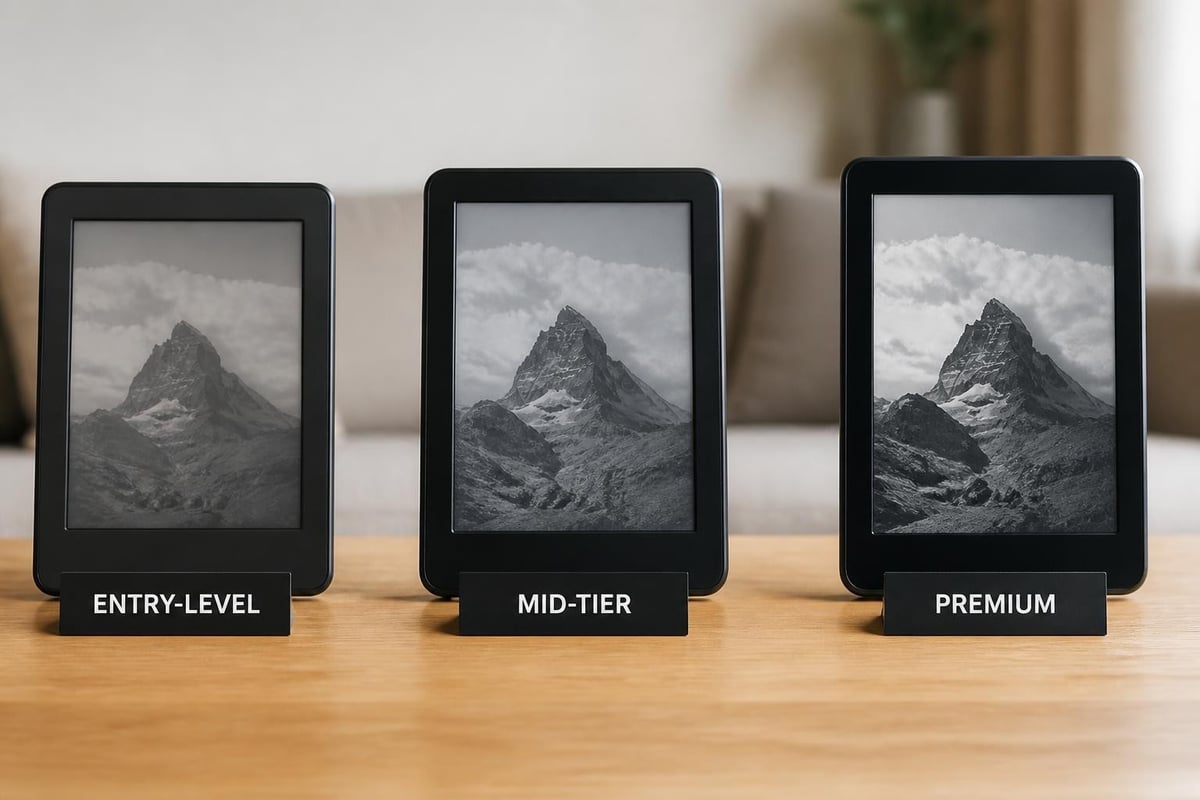
| Device Category | Screen Type | Storage | Price Range | Best For |
|---|---|---|---|---|
| Entry-Level | Basic E-Ink | 8-16 GB | $80-$120 | Casual readers |
| Mid-Tier | High-resolution E-Ink | 16-32 GB | $140-$180 | Regular readers |
| Premium | Color-capable E-Ink | 32-64 GB | $250-$350 | Power readers and comic enthusiasts |
The latest models feature improved battery life lasting up to eight weeks, enhanced lighting systems that adjust to ambient conditions, and faster page-turn speeds. Premium versions now support color display for comics and illustrated books, addressing a longtime limitation of e-ink technology.
How to Shop Kindle eBooks on Different Platforms
The purchasing process varies depending on which device you're using, and understanding these differences helps avoid frustration. Amazon implements specific restrictions on mobile apps due to app store policies, requiring alternative approaches for iOS and Android users.
Purchasing on Kindle Devices
Dedicated Kindle e-readers offer the most straightforward purchasing experience. Amazon’s official guide to buying Kindle books details the complete process for device purchases, which involves browsing directly on your e-reader and completing transactions with saved payment methods.
Steps to shop Kindle eBooks on your Kindle device:
- Tap the Store icon from your home screen
- Search for titles using keywords, authors, or categories
- Browse recommendations based on your reading history
- Tap the book cover to view details and sample chapters
- Select "Buy Now" and confirm your purchase
- Begin reading immediately as the book downloads
Your Kindle device must connect to Wi-Fi to access the store and download purchases. Some premium models include cellular connectivity, allowing shopping anywhere without Wi-Fi networks. This feature proves particularly valuable for travelers who want instant access to new titles.
Desktop and Laptop Purchasing
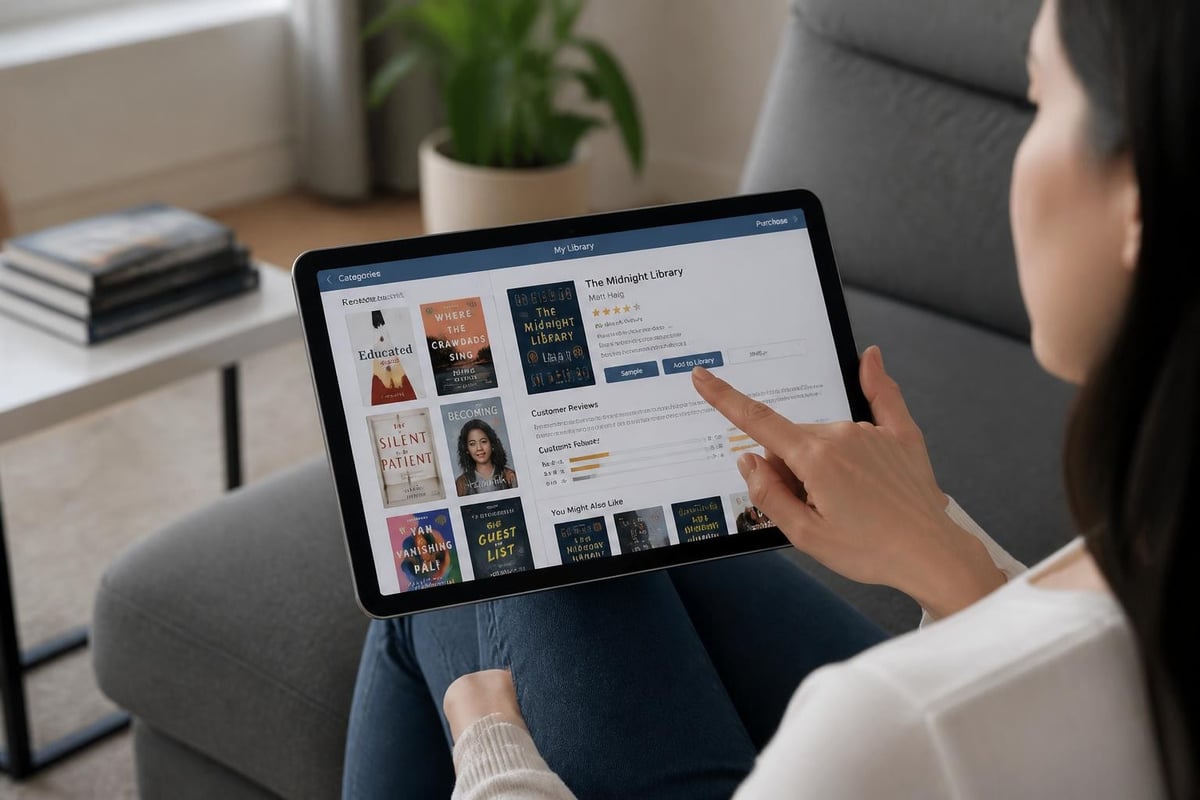
When you shop Kindle eBooks through a web browser, you access the full Amazon marketplace with advanced search capabilities and detailed customer reviews. This method works identically to shopping for physical products on Amazon's website, with the added benefit of instant digital delivery.
The desktop experience provides several advantages over device-based shopping. You can compare multiple titles simultaneously, read extensive reviews, preview larger sample sections, and manage your existing library more efficiently. The larger screen makes browsing categories and discovering new releases easier, especially when exploring Tell eBook’s diverse collection of titles across multiple genres.
Most readers find web-based purchasing faster for researching books before buying. You can open multiple tabs to compare similar titles, check author backgrounds, and read professional reviews alongside customer feedback. Once purchased, books appear on all connected devices within seconds.
Mobile App Considerations
The restrictions on purchasing through Amazon’s mobile apps stem from app store policies regarding in-app purchases and commission structures. Apple and Google require apps to use their payment systems for digital content, resulting in Amazon disabling direct purchasing within the Kindle app on iOS and Android devices.
This limitation doesn't prevent mobile users from acquiring books, but it requires an additional step. How-To Geek explains the workaround for iPhone and iPad users: open Safari or another mobile browser, navigate to Amazon's website, complete your purchase there, and the book appears in your Kindle app automatically.
Mobile purchasing workflow:
- Open your mobile browser (Safari, Chrome, Firefox)
- Navigate to Amazon.com or your regional Amazon site
- Sign in to your account if necessary
- Search for and select your desired title
- Complete the purchase through the website
- Return to your Kindle app to find the book ready for download
This process adds only minutes to your shopping experience and becomes second nature after a few purchases. Many readers bookmark the Kindle Store website on their mobile browsers for quick access.
Maximizing Value When You Shop Kindle eBooks
Smart shoppers find numerous ways to reduce costs while building extensive digital libraries. Amazon offers various programs and features designed to increase value for frequent readers.
Subscription Services and Unlimited Reading
Kindle Unlimited provides access to over three million titles for a monthly subscription fee, representing significant savings for readers who consume multiple books each month. The service includes romance novels, science fiction series, business books, and popular non-fiction titles, though bestsellers and newly released books may have limited availability.
Prime Reading offers a smaller selection of rotating titles included with Amazon Prime membership at no additional cost. This service suits casual readers who want free access to a curated selection without committing to a separate subscription.
| Service | Monthly Cost | Title Selection | Best For |
|---|---|---|---|
| Kindle Unlimited | $11.99 | 3+ million books | Heavy readers (3+ books/month) |
| Prime Reading | Included with Prime | Rotating selection | Casual readers with Prime |
| Individual Purchases | Varies | Entire catalog | Selective readers |
Price Tracking and Deals
Book prices fluctuate regularly, with many titles going on sale during promotional periods. Setting up price alerts through third-party tools or checking Amazon's daily deals helps you shop Kindle eBooks at optimal prices. Major sales occur around holidays, with significant discounts during Prime Day, Black Friday, and seasonal reading promotions.
The "Today's Deals" section features rotating discounts across all genres, often reducing prices by 70-90% on selected titles. Newsletter subscriptions from publishers and genre-specific alerts notify you when favorite authors release new books or when series go on sale. Many readers maintain wish lists and purchase titles when prices drop below specific thresholds.
Money-saving strategies include:
- Adding desired titles to your wish list for price tracking
- Checking daily deals every morning
- Following favorite authors for release announcements
- Subscribing to genre-specific deal newsletters
- Timing purchases around major sale events
- Utilizing family sharing for household accounts
Building and Managing Your Digital Library
As your collection grows, organization becomes increasingly important. Amazon provides tools for categorizing, searching, and managing thousands of titles efficiently.
Collections and Categories
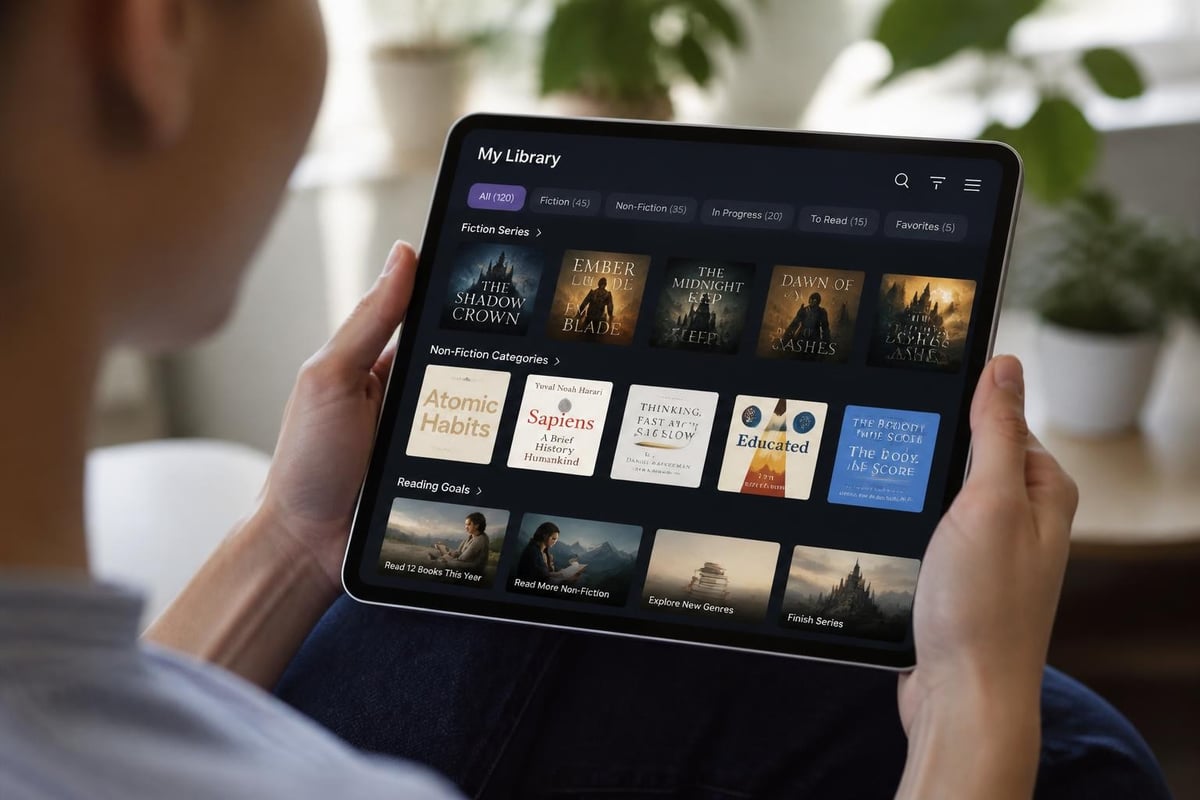
Creating custom collections helps organize books by genre, reading status, or personal preference. You might establish collections for "To Read," "Favorites," "Business Books," or "Summer Reading 2026." These collections sync across devices, maintaining organization regardless of where you access your library.
The Kindle interface allows sorting by recent purchases, author name, or title, with search functionality that finds books instantly. You can also filter by read versus unread status, helping prioritize your reading queue. Tell eBook offers a similar organizational approach, categorizing titles across fiction, business, comics, and biographies to help readers discover content matching their interests.
Sample Chapters and Reading Previews
Before you shop Kindle eBooks, downloading free samples helps ensure the book meets your expectations. Samples typically include the first 10% of the book, providing enough content to assess writing style, pacing, and subject matter relevance.
The sample feature particularly benefits readers exploring new authors or unfamiliar genres. You can download multiple samples simultaneously, evaluate several options, and purchase only the titles that genuinely interest you. This approach reduces buyer's remorse and helps build a library of books you'll actually read.
Technical Considerations for Optimal Shopping
Several technical factors affect your ability to shop Kindle eBooks and manage your purchases effectively. Understanding these elements ensures smooth transactions and reliable access to your content.
Account Management and Settings
Your Amazon account controls all Kindle purchases and device registrations. The "Manage Your Content and Devices" section allows you to view purchase history, download books to specific devices, adjust country settings for marketplace access, and manage family library sharing.
Payment methods should remain current to prevent purchase failures. Amazon stores multiple payment options, defaulting to your primary method for one-click purchasing. Enabling two-factor authentication protects your account from unauthorized purchases and maintains security for your digital library investment.
Essential account settings:
- Default payment method verification
- One-click ordering preferences
- Family Library sharing configuration
- Device registration management
- Country/region marketplace selection
- Parental controls for shared devices
Device Compatibility and Updates
Amazon has ended support for older Kindle devices manufactured before 2013, meaning these units can no longer access the Kindle Store or download new purchases. If you own an older device, upgrading ensures continued access to new releases and store functionality.
Regular software updates maintain compatibility with the latest store features and security protocols. Most Kindle devices update automatically when connected to Wi-Fi, but you can manually check for updates in the settings menu. Keeping devices current prevents technical issues when you shop Kindle eBooks and ensures optimal reading experiences.
Modern devices support enhanced typography, page flip features, and vocabulary builder tools that weren't available on older models. The improved hardware includes faster processors, better lighting systems, and increased storage capacity for larger libraries.
Reading Across Multiple Devices
One of Kindle's strongest features is seamless reading across different platforms. You might start a book on your commute using a smartphone, continue during lunch on a tablet, and finish the evening on a dedicated e-reader, never losing your place.
Whispersync Technology
Whispersync automatically synchronizes your reading position, bookmarks, highlights, and notes across all devices. This technology works in the background whenever devices connect to the internet, ensuring consistency throughout your reading experience.
The system also syncs dictionary lookups and vocabulary words you've saved, building a personal reference library that grows with your reading. For books with accompanying audiobooks, Whispersync for Voice allows switching between reading and listening while maintaining your position in the story.
Cross-Platform Apps
The Kindle reading app extends beyond Amazon devices, supporting Windows, Mac, iOS, Android, and web browsers. This flexibility means you can shop Kindle eBooks once and access them everywhere, even without owning a dedicated Kindle device.
Each platform offers slightly different features based on hardware capabilities. Desktop apps provide the largest screens for illustrated books and comics, while mobile apps offer portability. Web readers work without installation, useful for accessing your library on shared or public computers.
Genre-Specific Shopping Strategies
Different genres have unique considerations when building your digital library. Understanding these nuances helps you shop Kindle eBooks more effectively for specific content types.
Fiction and Literature
Fiction readers benefit from series discounts, where purchasing multiple books together often costs less than individual titles. Many authors release the first book in a series at reduced prices or free to encourage continued reading. Box sets compile entire series at substantial savings compared to individual purchases.
Genre-specific promotions rotate monthly, with romance, mystery, and science fiction seeing regular sales. Following favorite authors through Amazon's follow feature notifies you of new releases and special pricing on backlist titles.
Non-Fiction and Educational Content
Business books, self-help titles, and educational materials frequently include enhanced content like videos, interactive diagrams, and hyperlinked references. When you shop Kindle eBooks in these categories, verify that enhanced features work on your preferred devices, as some elements require specific apps or screen sizes.
Professional development readers often build libraries around specific skills or industries. Creating themed collections helps organize reference materials for quick access when needed. Many non-fiction titles offer "read now, pay later" options or installment plans for expensive textbooks and technical manuals.
Comics and Graphic Novels
Comic book readers should prioritize devices with color screens and larger displays. While black-and-white comics work on standard Kindles, graphic novels and full-color comics shine on Fire tablets or the latest color e-ink models.
Panel-by-panel viewing modes optimize comic reading on smaller screens, guiding readers through the page in a logical flow. Many comic series offer volume collections at better prices than individual issues, making it economical to shop Kindle eBooks in complete story arcs.
International Shopping and Regional Availability
Amazon operates separate Kindle stores for different countries, each with unique catalogs and pricing. Your Amazon account links to a primary marketplace, but you can access other regional stores by changing your country settings.
Some books have regional restrictions based on publishing rights, meaning a title available in the US store might be unavailable in the UK store or vice versa. Changing your marketplace allows access to region-specific content, though payment methods must match the selected region.
Pricing varies significantly between markets due to currency differences, local taxes, and regional publishing agreements. Savvy international shoppers compare prices across marketplaces before purchasing, potentially finding the same title at substantially different costs.
Shopping for Kindle eBooks has become increasingly sophisticated, offering multiple pathways to build your digital library efficiently and economically. By understanding the various purchasing methods, device options, and value-maximizing strategies, you can create a personalized reading ecosystem that fits your lifestyle and budget. Whether you're reading fiction for pleasure, educational content for professional development, or exploring new genres, the digital marketplace provides unprecedented access to millions of titles. Tell eBook brings this same accessibility to readers seeking diverse content across fiction, business, comics, and biographies, offering a curated selection that makes discovering your next great read simple and enjoyable.
Ready to build your Kindle library? Start with reader favorites like Jade City by Fonda Lee, Uprooted by Naomi Novik, and Star Shipped by Cat Sebastian — all available for instant download. Browse more titles in the Tell eBook shop to discover thousands of ebooks and audiobooks.
1 Comment