

When you decide to buy Kindle Amazon devices, you're entering a carefully designed ecosystem that has transformed how millions of readers consume digital content. Amazon's Kindle family offers multiple models at various price points, each optimized for different reading preferences and budgets. Understanding the distinctions between these devices, their capabilities, and how they integrate with digital libraries helps you make an informed purchase that aligns with your reading habits and content needs.
Understanding the Kindle Ecosystem Before You Buy
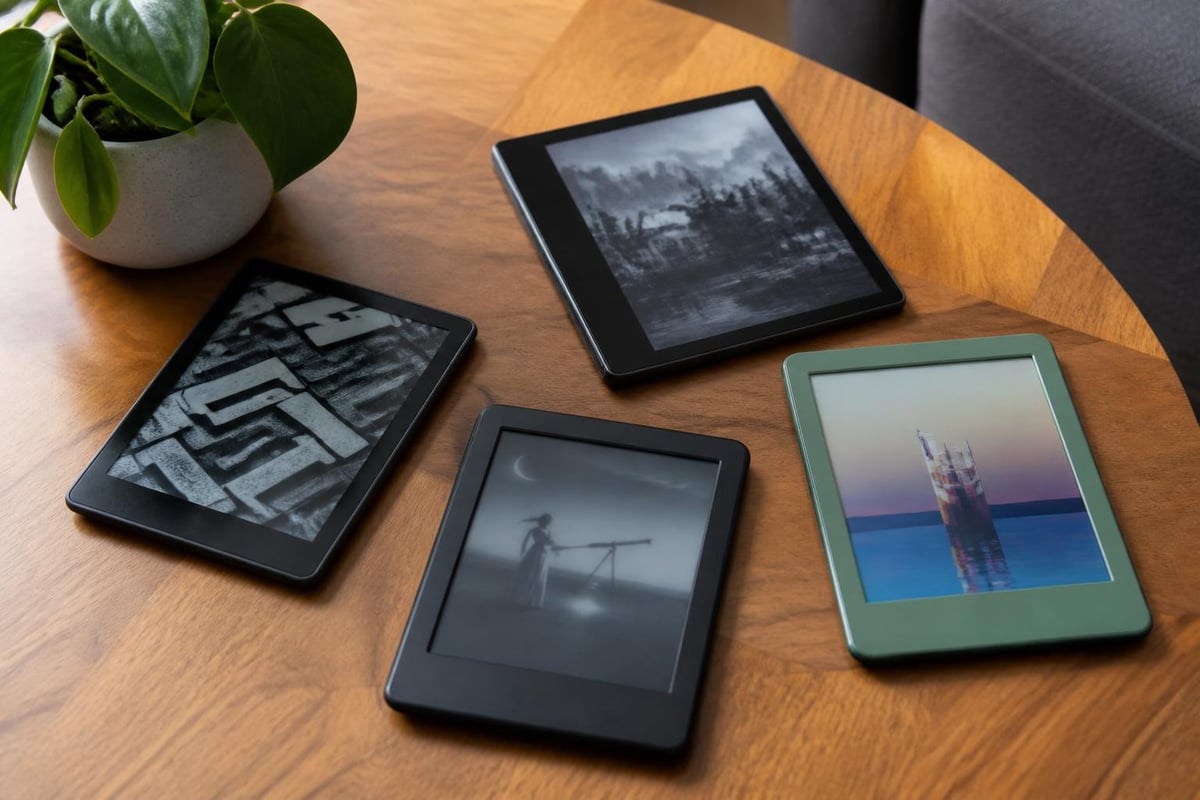
Amazon has refined its Kindle lineup over nearly two decades, creating distinct categories that serve specific reader segments. The current 2026 lineup includes entry-level models, mid-range Paperwhite versions, premium Oasis devices, and the recently introduced Colorsoft with color e-ink technology.
When you buy Kindle Amazon products, you're not simply purchasing hardware. You're gaining access to Amazon's vast digital bookstore, Kindle Unlimited subscription service, and integration with Audible for audiobooks. The ecosystem includes cloud storage for your entire library, cross-device synchronization, and Whispersync technology that remembers your place across devices.
The Technical Foundation
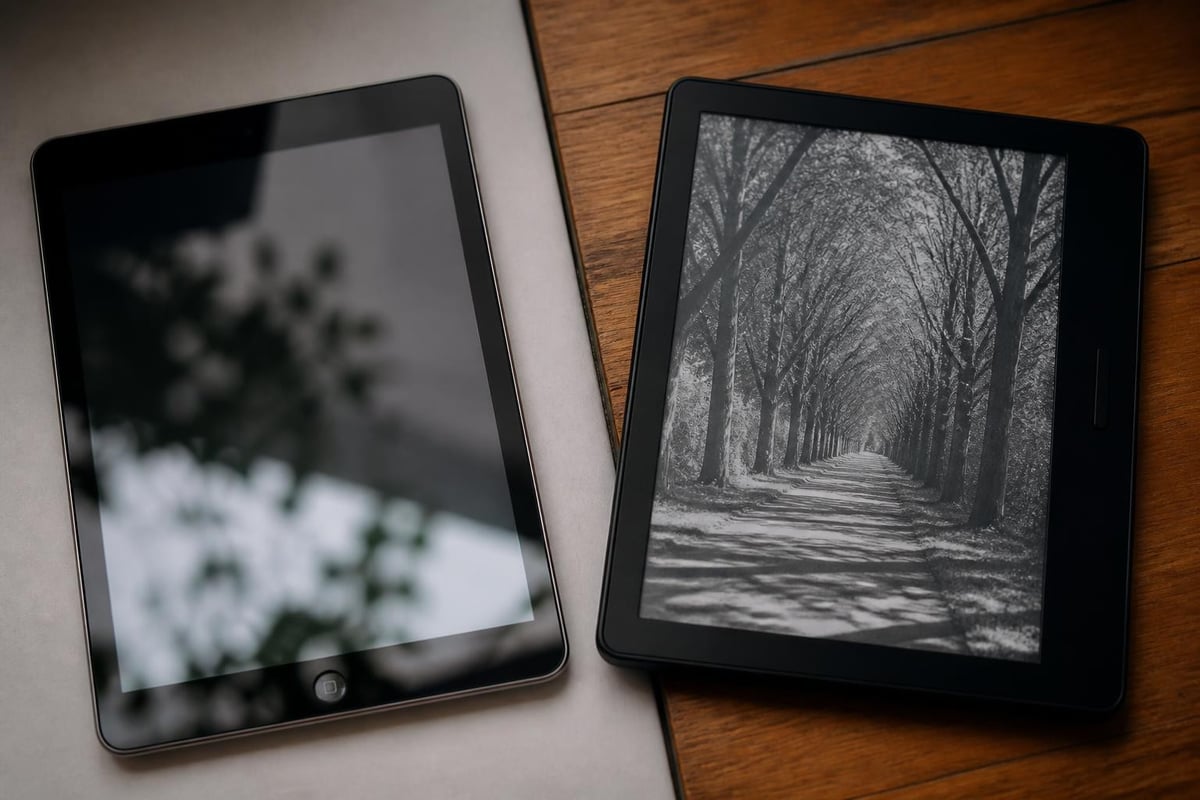
E-ink technology remains the cornerstone of the Kindle experience. Unlike tablet screens that emit light directly into your eyes, e-ink displays reflect ambient light like physical paper, reducing eye strain during extended reading sessions. The latest Kindle models feature 300 pixels per inch (ppi) resolution, delivering crisp text that rivals printed books.
Modern Kindle devices incorporate front-lit displays rather than backlighting, directing light toward the page surface instead of into your eyes. Higher-end models include adjustable warm lighting that reduces blue light exposure during evening reading.
Comparing Current Kindle Models
The decision about which Kindle to buy from Amazon depends heavily on your reading volume, content preferences, and portability requirements. Each model occupies a specific niche in the product line.
| Model | Screen Size | Resolution | Waterproof | Storage Options | Starting Price |
|---|---|---|---|---|---|
| Kindle Basic | 6 inches | 300 ppi | No | 16 GB | $109.99 |
| Kindle Paperwhite | 6.8 inches | 300 ppi | Yes (IPX8) | 8 GB / 16 GB / 32 GB | $139.99 |
| Kindle Paperwhite Signature | 6.8 inches | 300 ppi | Yes (IPX8) | 32 GB | $189.99 |
| Kindle Oasis | 7 inches | 300 ppi | Yes (IPX8) | 8 GB / 32 GB | $279.99 |
| Kindle Colorsoft | 7 inches | 300 ppi (B&W) / color | Yes (IPX8) | 32 GB | $279.99 |
Entry-Level Kindle
The basic Kindle represents the most affordable entry point when you buy Kindle Amazon devices. It features a 6-inch display with 300 ppi resolution and 16 GB of storage in 2026 models. This capacity accommodates thousands of standard ebooks, making it sufficient for most readers who primarily consume text-based content.
The entry model lacks waterproofing and warm light adjustment features found in premium versions. However, it delivers the core Kindle experience at a price point accessible to budget-conscious readers. Battery life extends to approximately six weeks with standard usage patterns.
Kindle Paperwhite Series
The Paperwhite family occupies the sweet spot for most readers. WIRED’s comprehensive Kindle buying guide consistently recommends the Paperwhite as the best overall value, balancing features, performance, and cost.
Key Paperwhite advantages include:
- Larger 6.8-inch display with adjustable warm lighting
- IPX8 waterproof rating (submersion up to 2 meters for 60 minutes)
- USB-C charging for faster power delivery
- Storage configurations up to 32 GB for graphic novels and audiobooks
The Paperwhite Signature Edition adds wireless charging capability, auto-adjusting front light, and 32 GB storage as standard. For readers who want premium features without the Oasis price tag, the Signature Edition represents excellent value.
Premium Options: Oasis and Colorsoft
The Kindle Oasis distinguishes itself through physical page-turn buttons and an ergonomic wedge design that makes one-handed reading more comfortable. The asymmetric form factor shifts weight away from your wrist during extended sessions.
However, Ars Technica’s technical review notes that the new Colorsoft, while introducing color e-ink capability, falls short of the Paperwhite for standard text-based reading. Color refresh rates remain slower than black-and-white text, and the $279.99 price point positions it as a specialized device for graphic novels, comics, and illustrated content rather than a general-purpose reader.
Content Access and Digital Rights
When you buy Kindle Amazon products, understanding digital rights management (DRM) and content ownership becomes crucial. Unlike physical books, ebooks come with licensing restrictions that affect how you use purchased content.
Amazon’s DRM system allows publishers to control whether content can be downloaded directly, shared across devices, or backed up locally. Most mainstream publishers enable DRM, which means you're licensing access to content rather than owning it outright.
Recent Changes to File Management
In early 2025, Amazon removed the “download and transfer via USB” option for newly purchased Kindle books. This change requires readers to download content directly to devices over WiFi rather than sideloading files from computers.
The modification affects backup strategies and offline access planning. Readers who travel frequently to areas with limited connectivity should download entire libraries before departure rather than relying on USB transfer methods.
Privacy and Consumer Rights
The Electronic Frontier Foundation’s analysis of digital book rights highlights important considerations when you buy Kindle Amazon content. Amazon's terms of service reserve the right to revoke access to purchased content under specific circumstances, though such actions remain rare.
Privacy considerations include:
- Reading data collection (page-turn speed, highlights, time spent per section)
- Purchase history tracking for recommendation algorithms
- Location data when connected to WiFi networks
- Integration with Amazon's broader ecosystem of services
Readers concerned about data collection can disable Whispersync features and limit network connectivity, though this reduces functionality like cross-device synchronization and cloud backup.
Integration with Library Systems
Many public libraries now offer digital lending through OverDrive and Libby platforms, allowing you to borrow ebooks that deliver directly to Kindle devices. This approach provides access to extensive catalogs without purchasing every title.
OverDrive’s Kindle integration requires linking your library card and Amazon account, after which borrowed titles appear in your Kindle library for the loan period. When loans expire, books automatically disappear from your device without manual deletion.
This integration makes tremendous financial sense for occasional readers or those exploring new genres. However, popular titles often have waiting lists, and library catalogs typically lag behind commercial releases by several months.
Storage Capacity Considerations
Determining appropriate storage capacity depends heavily on your content preferences. Standard text-based novels occupy approximately 1-2 MB per book, meaning an 8 GB Kindle can store several thousand titles. However, graphic novels, comics, and illustrated content consume significantly more space.
Storage requirements by content type:
- Standard novel: 1-2 MB
- Graphic novel / comic: 50-150 MB
- Magazine with images: 100-300 MB
- Audiobook: 50-200 MB per hour
If you primarily read fiction like the selections available in Tell eBook’s fiction and literature category, the base 8 GB storage proves sufficient. Readers who enjoy comics and graphic novels should consider 32 GB models to maintain extensive offline libraries.
For business professionals reading titles from business and finance collections, storage needs remain modest since business books consist primarily of text with occasional charts and diagrams.
Essential Accessories and Add-Ons
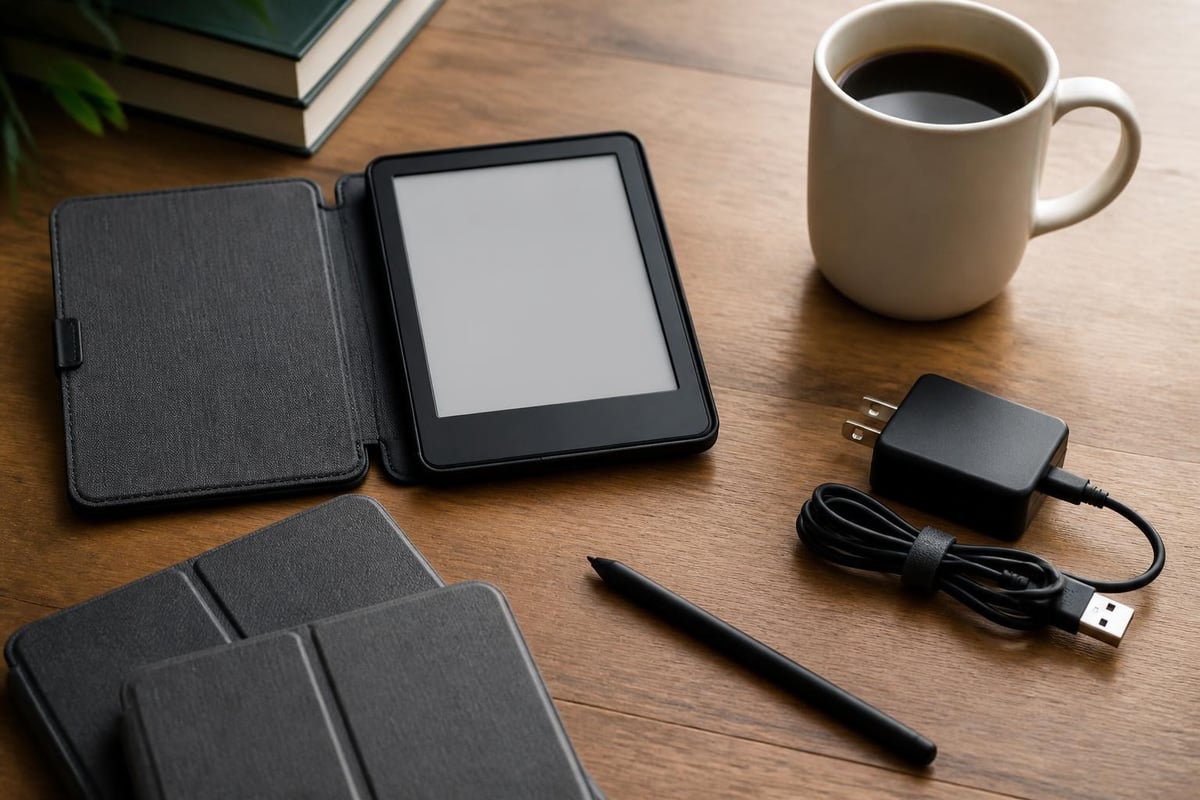
When you buy Kindle Amazon devices, several accessories enhance the reading experience and protect your investment. WIRED’s accessory guide evaluates the most useful add-ons based on hands-on testing.
Protective Cases
Quality cases serve multiple purposes beyond scratch protection. Many incorporate auto-wake functionality that powers the device on when opened and puts it to sleep when closed, preserving battery life. Premium cases include hand straps for secure one-handed reading.
Case selection criteria:
- Magnetic closure for auto-sleep functionality
- Interior material that won't scratch the screen
- Slim profile that maintains portability
- Stand functionality for hands-free reading
Screen Protectors and Styluses
While Kindle screens are relatively durable, screen protectors prevent scratches from keys or other items in bags. Paperlike screen protectors add subtle texture that some readers prefer, mimicking the feel of physical paper.
Premium Kindle models support stylus input for note-taking and annotation. Specialized e-ink styluses provide precise highlighting and margin notes without requiring batteries or Bluetooth connectivity.
Charging Solutions
USB-C adoption across the 2026 Kindle lineup standardizes charging infrastructure, allowing you to use the same cables and adapters as smartphones and tablets. However, Kindle devices charge slowly compared to phones, typically requiring 3-4 hours for full charge from standard 5-watt adapters.
Higher-wattage USB-C chargers reduce charging time to approximately 2 hours, though Kindle devices limit power draw to safe levels regardless of adapter capability.
Price Optimization Strategies
Amazon regularly discounts Kindle devices during major shopping events, making strategic timing valuable for budget-conscious buyers. Prime Day, Black Friday, and Cyber Monday typically feature $30-50 discounts across the entire Kindle lineup.
Refurbished Kindles through Amazon's Certified Refurbished program offer substantial savings with limited warranty protection. These devices undergo inspection and testing, typically showing minimal cosmetic wear while functioning identically to new units.
Prime membership benefits when you buy Kindle Amazon products include:
- Exclusive early access to deals and special pricing
- Free monthly ebook through Prime Reading
- Kindle Unlimited trial offers
- Faster shipping on accessories and replacement devices
For readers building digital libraries across multiple platforms, consider how Tell eBook's pricing compares to Amazon's ecosystem. Shopping at Tell eBook provides access to diverse titles including business reference materials and biography collections without platform lock-in.
Comparing Kindle to Competing E-Readers
While Kindle dominates the e-reader market, alternatives from Kobo, Barnes & Noble, and others offer different features and ecosystem advantages. TechRadar’s comprehensive e-reader roundup evaluates how Kindle models compare against competitors on criteria including openness, format support, and pricing.
Format Compatibility
Kindle devices natively support Amazon's proprietary formats (AZW, AZW3, KFX) plus common formats like MOBI, PDF, and TXT. However, the widely-used EPUB format requires conversion through free tools like Calibre before Kindle compatibility.
Competing e-readers often support EPUB natively, providing greater flexibility when purchasing content from multiple retailers. This consideration matters for readers who buy from various sources or want to avoid platform lock-in.
Independent Reviews and Testing
Consumer Reports’ e-reader buying guide provides independent testing data on display quality, battery life, and durability across multiple brands. Their testing methodology includes drop tests, submersion trials, and long-term reliability assessments.
According to their 2026 testing, Kindle devices score highest for ecosystem integration and content selection, while competitors like Kobo excel in format flexibility and library integration.
Making Your Purchase Decision
The decision to buy Kindle Amazon devices should align with your reading habits, content preferences, and budget constraints. Start by honestly assessing these factors:
- Reading volume: Occasional readers may find basic models sufficient, while daily readers benefit from premium features
- Content type: Text-focused readers need less storage than comic and audiobook enthusiasts
- Reading environment: Beach and bathtub readers require waterproof models
- Budget flexibility: Consider whether premium features justify higher costs for your usage patterns
Model Recommendations by Reader Profile
Budget-conscious text readers should buy Kindle Amazon's basic model at $109.99, which delivers core functionality without unnecessary features. This segment includes students, casual readers, and those exploring whether e-readers suit their preferences.
Serious readers seeking the best value benefit most from the Paperwhite standard edition, which includes waterproofing, warm lighting, and USB-C charging at $139.99. This model balances features and cost effectively.
Premium readers and comic enthusiasts should consider the Colorsoft or Oasis, depending on whether color capability matters for their content library. The Oasis's page-turn buttons appeal to readers who consume multiple hours daily.
Where to Buy
While Amazon.com offers the most direct purchasing path when you buy Kindle Amazon devices, authorized retailers like Best Buy, Target, and Walmart stock Kindle models. These retailers occasionally offer exclusive bundle deals pairing devices with gift cards or accessories.
International buyers should verify regional warranty coverage and customer support availability before importing devices from other countries, as Amazon restricts warranty service based on purchase location.
Maximizing Your Kindle Investment
Once you buy Kindle Amazon devices, several strategies maximize value and reading enjoyment. These optimization techniques enhance functionality beyond default settings.
Calibre Library Management
Calibre software provides powerful library management capabilities, including format conversion, metadata editing, and content organization. The free, open-source tool runs on Windows, macOS, and Linux, giving you control over your digital library independent of Amazon's ecosystem.
Calibre's conversion engine transforms EPUB files to Kindle-compatible formats while preserving formatting, bookmarks, and metadata. This capability proves valuable when purchasing DRM-free content from independent publishers and platforms.
Reading Optimization Settings
Kindle devices offer extensive customization of typography, margins, and line spacing. Experimenting with these settings can significantly improve reading comfort and comprehension speed.
Recommended adjustments:
- Font size appropriate for your eyesight and reading distance
- Publisher font selection when available for author's intended typography
- Margins set to "narrow" for more words per screen and fewer page turns
- Line spacing set to "medium" for optimal readability
- Bold text enabled for readers with visual impairments
Battery Life Extension
Despite impressive battery life compared to tablets, Kindle devices benefit from optimization strategies that extend time between charges. Reducing wireless connectivity, lowering screen brightness, and disabling index building for sideloaded content all preserve battery capacity.
Airplane mode during reading sessions prevents the device from continuously searching for WiFi networks, potentially doubling battery life in areas with weak connectivity.
Content Discovery Beyond Amazon
While Kindle devices integrate seamlessly with Amazon's bookstore, numerous quality sources provide content compatible with your device. Exploring diverse content sources enriches your reading experience and often reduces costs.
DRM-Free Publishers and Stores
Independent publishers and specialized retailers offer DRM-free ebooks that work across all devices without platform restrictions. Tor Books, for example, sells all science fiction and fantasy titles without DRM, giving readers complete control over purchased content.
Project Gutenberg provides over 70,000 classic works in the public domain, free for download in Kindle-compatible formats. These include foundational literature, historical texts, and influential works across all genres.
Building a Diverse Digital Library
Readers interested in nonfiction categories or specialized subjects often find better selection and pricing through dedicated ebook retailers than Amazon alone. Platforms focusing on academic content, technical manuals, or professional development frequently offer superior depth in specialized fields.
For those building collections in biography and memoir or arts and architecture, exploring multiple vendors ensures access to the fullest possible catalog rather than limiting yourself to a single ecosystem.
Choosing to buy Kindle Amazon devices opens the door to convenient, portable reading across thousands of titles, but the decision requires careful consideration of models, features, and ecosystem implications. Whether you're a casual reader exploring digital formats or a book enthusiast building an extensive library, matching device capabilities to your specific needs ensures long-term satisfaction with your purchase. Tell eBook offers a comprehensive selection of ebooks and audiobooks across genres from fiction to business, providing content that works seamlessly with your Kindle while supporting diverse reading interests. Start building your digital library today at Tell eBook and discover titles that match your reading passion.